How I Created the Couchly IPTV App (and How I Use It)
Sometimes, when I want to watch something on TV, even though I have Orange TV, I can’t. The reason is that these channels aren’t available in the app, even though they are available on the TV. That’s fine, and I understand why. That’s why I chose to use IPTV streams a while back. The problem, however, is that a good iOS app that would cover all my use cases (categories, PIP, favorites, or content encoding) in the free version—as far as I’m concerned—doesn’t exist.
That said, I do recognize that some of these apps don’t require expensive subscriptions or a one-time payment for lifetime access. But my issue is that, as a programmer, I don’t want to pay for something I think I can build myself. That’s why I decided to write the app myself.
Since I already had experience with Ionic (a framework for hybrid apps), I decided to go this route. The tech stack was pretty standard for me—that is, Ionic combined with Vue 3 and TypeScript support. Bootstrapping the app was straightforward; I set up all the necessary views in the default UX scope. I moved on and started figuring out how the whole thing actually works. Parsing was relatively simple; m3u files have a well-defined structure, so all the necessary information was easily accessible. So I had the data, and I needed to create a player. Apple itself has very good support for video players, so I used AVPlayer.

Everything worked without a hitch, but after a while (I was only testing one channel), I noticed that some streams were having issues with the browser. I found out that AVPlayer doesn’t fully support all formats, so decoding some of them can cause problems. I started looking into it and concluded that it’s probably better to use a VLC-based player, which, as we know from PC experience, has excellent support and plays “practically everything.” And that’s exactly what happened. Even the streams that hadn’t worked before started working. As I was testing the entire app and was happy that the player was working, I minimized the app only to find out that PIP (Picture in Picture) had stopped working.
This was a logical step. PIP support exists in AVPlayer as a native way to play content, but VLC does not support it. I thought about how I could solve this problem, even consulted AI, and found that there was simply no way around it. I therefore decided to go with dual support. AVPlayer as the main player, and a fallback to VLC in case of problems. However, this required systematic thinking and the creation of a plugin for Swift, since solving this natively through Ionic alone is quite a challenge. So I brought in Claude Code (everything was handled through Claude Opus 4.6 Thinking, and it did the job I expected). He created a dual-support plugin, which I simply integrated into XCode after building the wrapper for iOS, and everything worked. I still had to resolve a few issues with app minimization, pre-rendering, and similar minor details, but the core of the app worked.
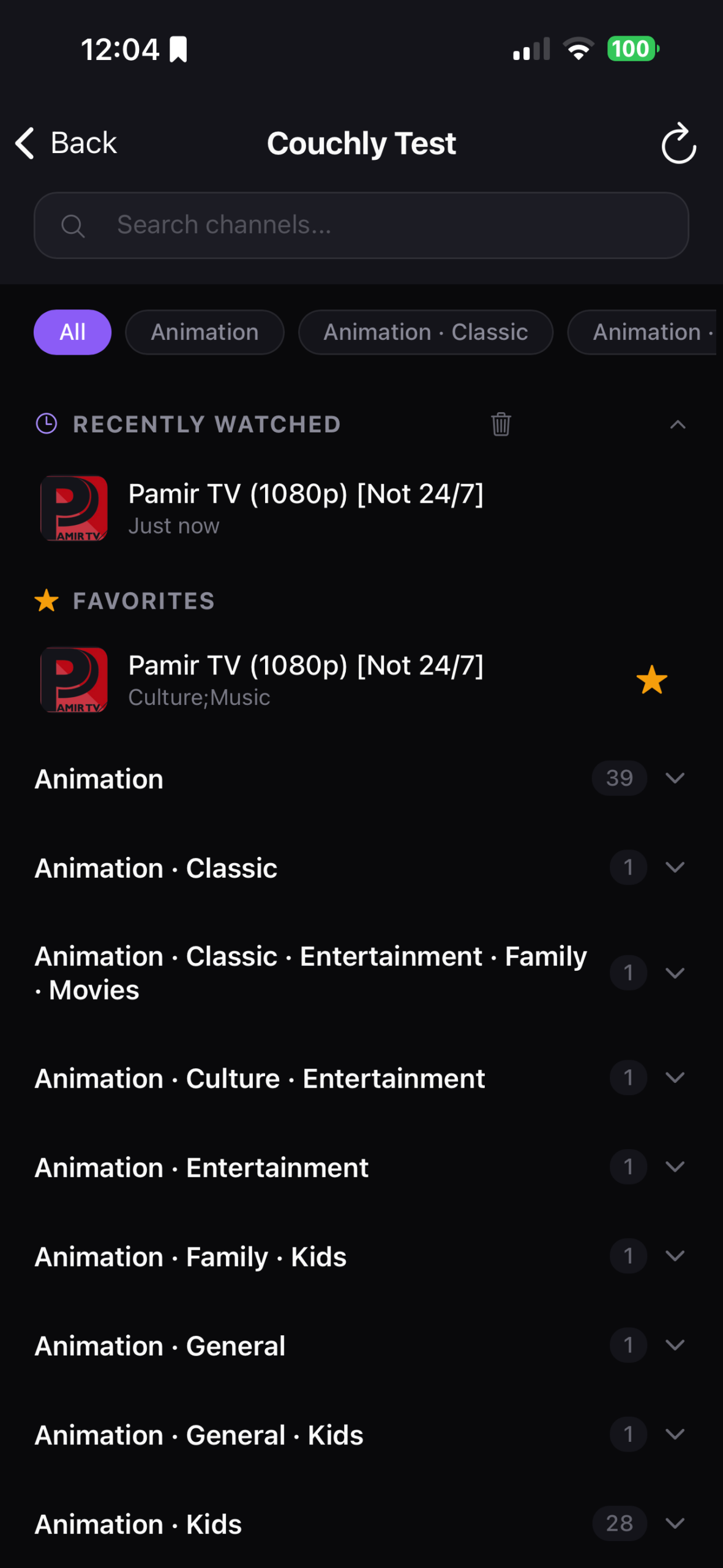
At this point, I set the AI aside again and continued with the integration of the features. I added the ability to save stations to favorites, a list of recently viewed stations, and horizontal scrolling for categories, since not everyone wants to scroll through them manually. I tested it in a real-world environment using a production build in Xcode, and everything worked exactly as I needed it to.
It took me about two days to build the app, even with the help of AI. I don’t know how long it would have taken me to write a Swift plugin that handles dual support for two video players, so I’m grateful for that part.
One of the issues I ran into was trying to sharpen the video. Some streams are low quality, so I liked the idea of sharpening the image using an SVG filter or a WebGL shader. But I ran into several problems here. Mainly, there was a lack of support for both players, or the inability to use them in full-screen mode. I also tried CSS filtering and canvas, but both had issues and tended to make the app unnecessarily unstable, in some cases putting a huge strain on the device’s battery.
I’ve come to terms with that, though, and I’m glad I can use a full-featured app on iOS and watch streams with all the features I need—for free. If you’re interested, I can provide the build 🙃
And here’s a quick demo.